
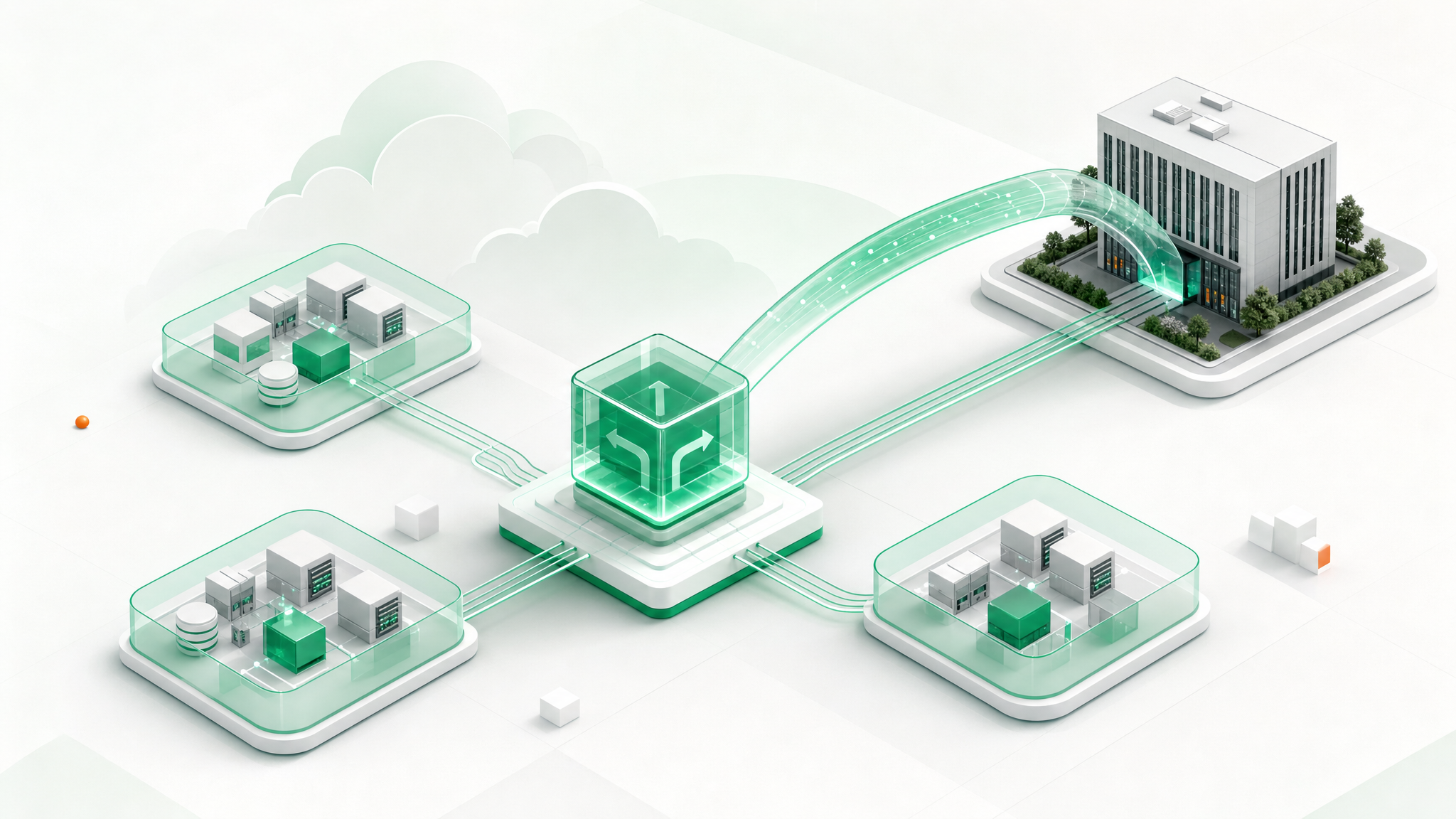
Why use a virtual router?
Your customers need reliable access to an application, but its database should not be exposed to the internet. Your team needs administrative access without opening every server, and existing systems may need to remain connected as workloads move to the cloud. These are business requirements first: keep services accessible, limit unnecessary access and make network responsibilities clear.
The CloudSigma Virtual Router model addresses these needs by bringing essential network functions together in one gateway. Instead of treating each connection as an isolated task, teams can work from a common design for routes, published services and access rules.
Four use cases illustrate where that approach can help:
- Segmented applications: separate web, application and data workloads, allowing the connections each service actually needs.
- Site and cloud connectivity: connect customer premises and cloud environments where supported VPN arrangements fit the requirement.
- MSP customer patterns: give managed service providers a consistent basis for customer networking, with isolation assessed for each environment.
- Phased migration: maintain required connections while workloads move between existing infrastructure and CloudSigma.
The intended benefit is a simpler, more repeatable network design, not a promise that every workload needs the same configuration. Start with what must connect and what must remain private.
What the CloudSigma Virtual Router brings together
A virtual router forwards IP traffic between networks in software, using routing information to select an outgoing path.
The intended CloudSigma offering consolidates WAN connectivity and essential network services in a single gateway model, rather than asking customers to assemble each basic function separately. Its proposed capability set covers seven areas:
- Static routing and private network interfaces: define paths between attached networks and other destinations.
- DHCP server: supply network settings to clients rather than configuring each address manually.
- DNS forwarding: pass name resolution requests to an upstream resolver.
- Destination NAT and port forwarding: map selected incoming traffic to an internal service.
- 1:1 address forwarding: map one address to another where the network design requires it.
- Layer 4 firewalling: control traffic using network addresses, transport protocols and ports.
- IPsec and OpenVPN: support planned VPN connections, with current modes and inclusion to be confirmed.
One configuration point can make application dependencies easier to review and provide a common pattern for future environments. Routing, address mapping and access policy remain distinct: a route makes a destination reachable, while firewall rules determine which traffic is permitted.
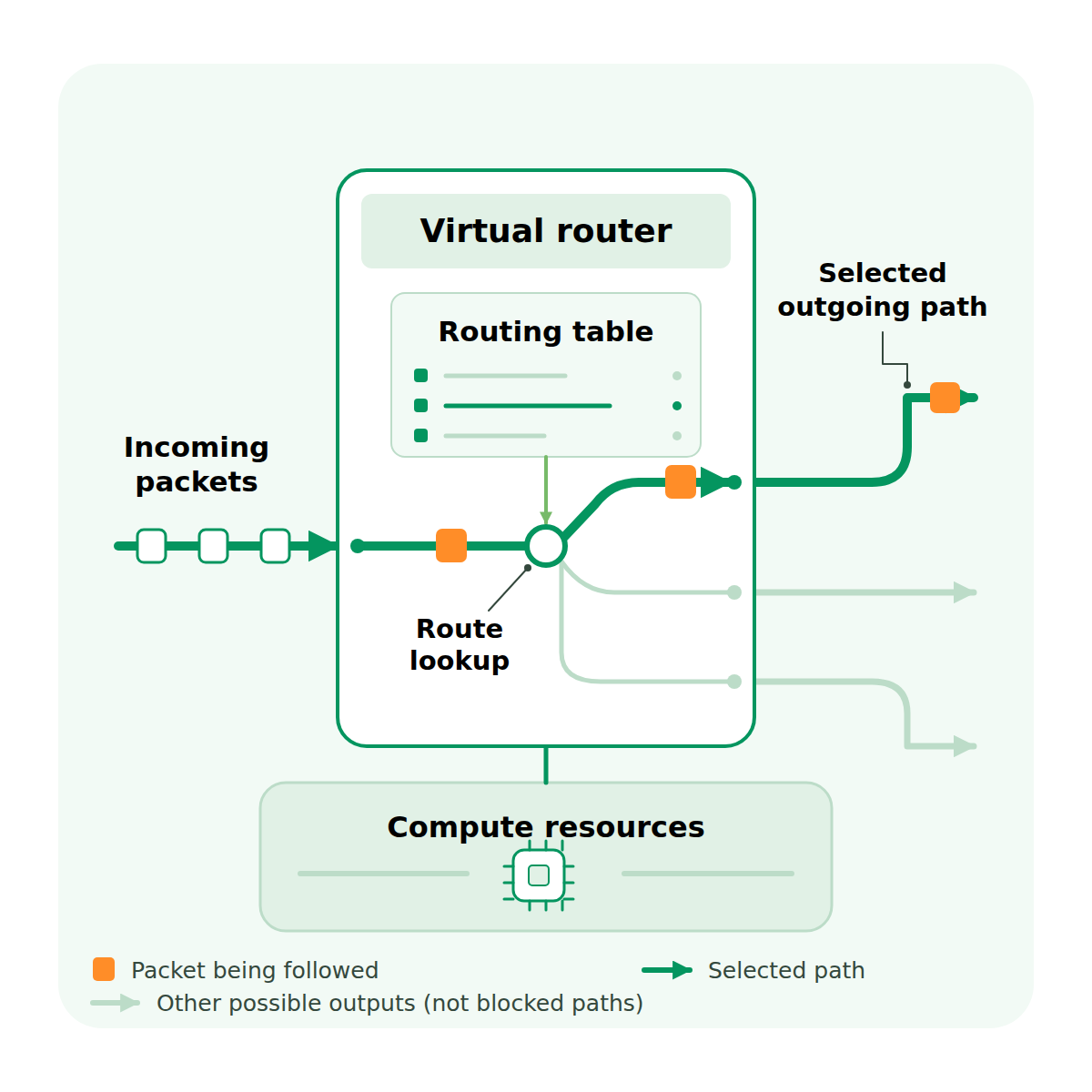
Figure 1. Routing selects an outgoing path. Pale lines show other possible outputs, not blocked traffic.
The source describes a single instance model, not a confirmed managed service or high availability design. Before deployment, confirm current capabilities, network attachment, public IP and traffic scope, capacity, and operational responsibilities. The diagrams explain concepts; they are not validated deployment plans.
How: connect a three-tier application
Consider one application with a public web service, a private application tier and a private database. The objective is a clear path from web to application to data, without giving internet users direct access to the internal tiers.
- Separate the segments. Place web, application and data workloads on distinct private networks with separate subnets. Attach them through supported router interfaces and check the underlying isolation. Router rules do not inspect traffic that stays within the same LAN.
- Define the required paths. Record the source, destination, protocol and port for each permitted connection. Configure routes and access rules for web to application and application to database traffic. Restrict administration to approved sources and a private access path; do not grant general access between tiers.
- Expose only the web service and test. Configure the required destination NAT or port mapping to the web tier, with matching firewall rules. Keep application and database services unexposed. Test permitted connections, return paths and denied access, including attempts to reach the database directly from the web tier or internet.
- Assign operational ownership. Agree who maintains configuration, patches, backups and monitoring, and how changes are reviewed. Check representative application traffic and recovery requirements before production use. Keep the access map current as the application changes.
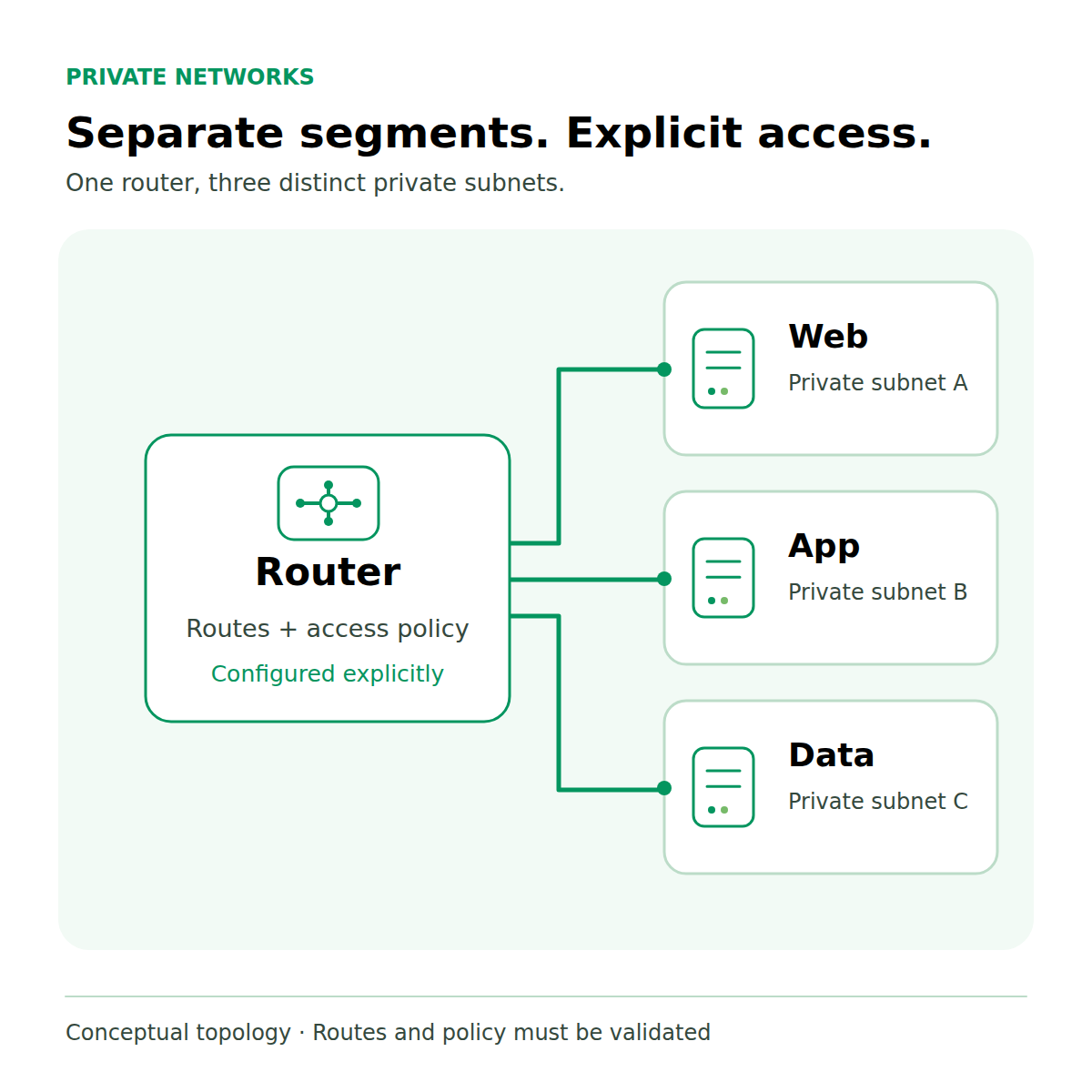
Figure 2. Conceptual application segmentation: three private networks, with routes and access policy configured explicitly.
Discuss your application’s connectivity and access requirements with CloudSigma to assess whether the Virtual Router model fits your environment.
Pricing and potential savings
The pricing model offers three monthly options:
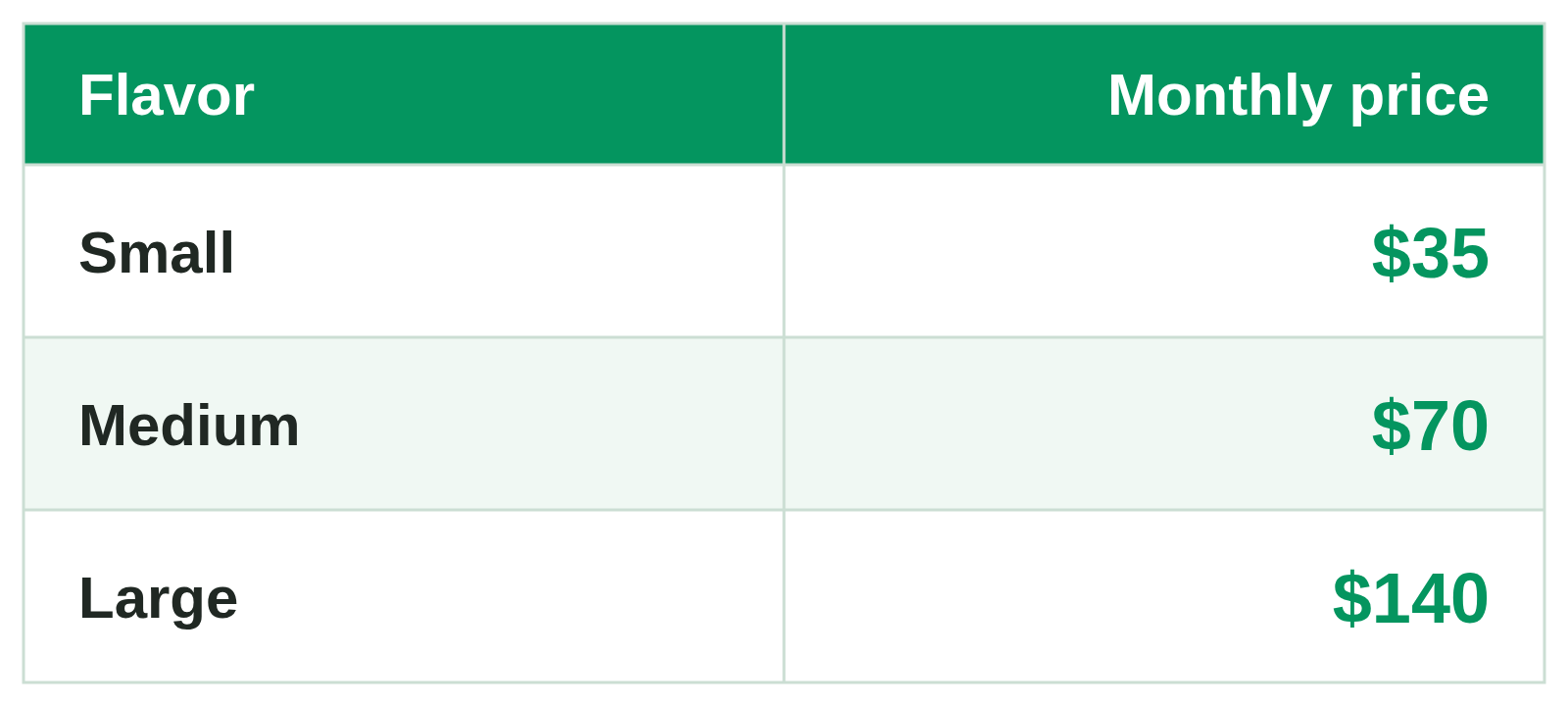
For illustration, Small at $35/month is $8.75 less than a like-for-like monthly networking cost of $43.75 — a 20% saving. This is a hypothetical comparison, not a measured hyperscaler benchmark. Actual savings depend on region, traffic, public IPs, VPN requirements and support scope.
Confirm package availability and included services before deployment.
About CloudSigma
CloudSigma provides flexible cloud infrastructure for enterprises and service providers, with a focus on local delivery, partner collaboration and control over cloud environments.
Comments
No comments yet. Be the first.